Intro to AWS: Cloud Overview, Uses, and IAM Basics

Hello! Welcome to my blog series on Amazon Web Services (AWS)! In this series, we'll explore cloud computing and its various services and applications. As a beginner myself, I will be sharing my learning experiences with AWS through these blogs, which will serve as notes for my understanding and hopefully help others as well.
What is the Cloud?
We are all quite familiar with this term. To explain it very simply, it is a way of accessing and using powerful computer resources over the internet instead of relying on a local computer. This allows users to access their data and applications from anywhere, at any time, as long as they have an internet connection.
Imagine you’re starting a small online business. You’ll need a website, some storage facility to product photos, and a system to manage orders. Instead of buying a bunch of servers, which is costly and requires maintenance, you can rent space in the cloud.
The Cloud is a big change from traditional computing models, giving businesses and individuals a more flexible, cost-effective, and scalable way to manage their data and applications. Whether you're running a small online store, managing a team remotely, or just storing personal data, the Cloud offers the infrastructure and tools needed to work efficiently and effectively in a digital world.
Types of Cloud Computing Services
Cloud computing services are mainly categorized into the following:
Infrastructure as a Service (IaaS):
Offers basic computing infrastructure like virtual machines, storage, and networks. It's perfect for users who need the flexibility to build and customize their systems from scratch. Example: Amazon EC2, Google Compute Engine.Platform as a Service (PaaS):
PaaS provides a platform and environment to build, test, and deploy applications. Developers can use these platforms without worrying about managing the underlying infrastructure. Example: Microsoft Azure App Service, Google App Engine.Software as a Service (SaaS):
SaaS offers a complete software solution that you buy on a pay-as-you-go basis from a cloud service provider. Most SaaS applications can be used directly from a web browser without needing any downloads or installations. Example: Google Workspace, Salesforce, Outlook.
Amazon Web Servies (AWS)
Amazon Web Services (AWS) is a cloud computing platform that allows developers and businesses to build, deploy, and manage services and applications without having to own physical hardware.
AWS provides the infrastructure to create, run, and scale applications on the cloud using on-demand computing services. It has made traditional infrastructure easier, faster, and more cost-effective by greatly reducing unnecessary resource use.
AWS provides a wide range of services to meet a variety of needs, including computing, storage, machine learning, and data analytics. Here are some of the most prominent services that AWS offers:
Identity and Access Management (IAM) is a service in Amazon Web Services that controls who can access to AWS resources. It allows you to create and control permissions for users, groups, and roles in your AWS account.
For Compute, EC2 (Elastic Compute Cloud), which provides virtual instances to run applications. Lamda, a serverless computing service that allows users to run code without provisioning servers. Elastic Beanstalk, a platform that allows users to deploy and manage applications with minimal infrastructure facility.
For Storage, S3 (Simple Storage Service), a scalable object storage service for storing files and data. EBS (Elastic Block Store), a block storage for EC2 instances, allowing applications to store and retrieve data on virtual hard drives.
For Networking, Route 53, a scalable DNS service that helps users route traffic to applications. CloudFront, A content delivery network (CDN) that caches content closer to users around the world, improving the performance of websites and applications.
For AI & ML, SageMaker, a suite of tools for building, training, and deploying machine learning models at scale. Rekognition, a service for image and video analysis, such as facial recognition, object detection, and scene analysis.
More about these in the upcoming blogs.
AWS Regions and Availability Zones
Regions
An AWS Region is a geographic area in which AWS operates multiple data centers. Each Region is a completely independent environment. Be careful in which region you created your resources, because resources from one region are not visible (or available) in another.
Regions enable users to select where to deploy their resources (such as servers, databases, and so on), which can be useful for reasons such as latency, compliance with local laws, and disaster recovery. If your company is in India, you will create your resource in the nearest region (Mumbai) so that users experience less latency. The farther your resource, the more latency it will suffer because the resource is coming by travelling a long distance.
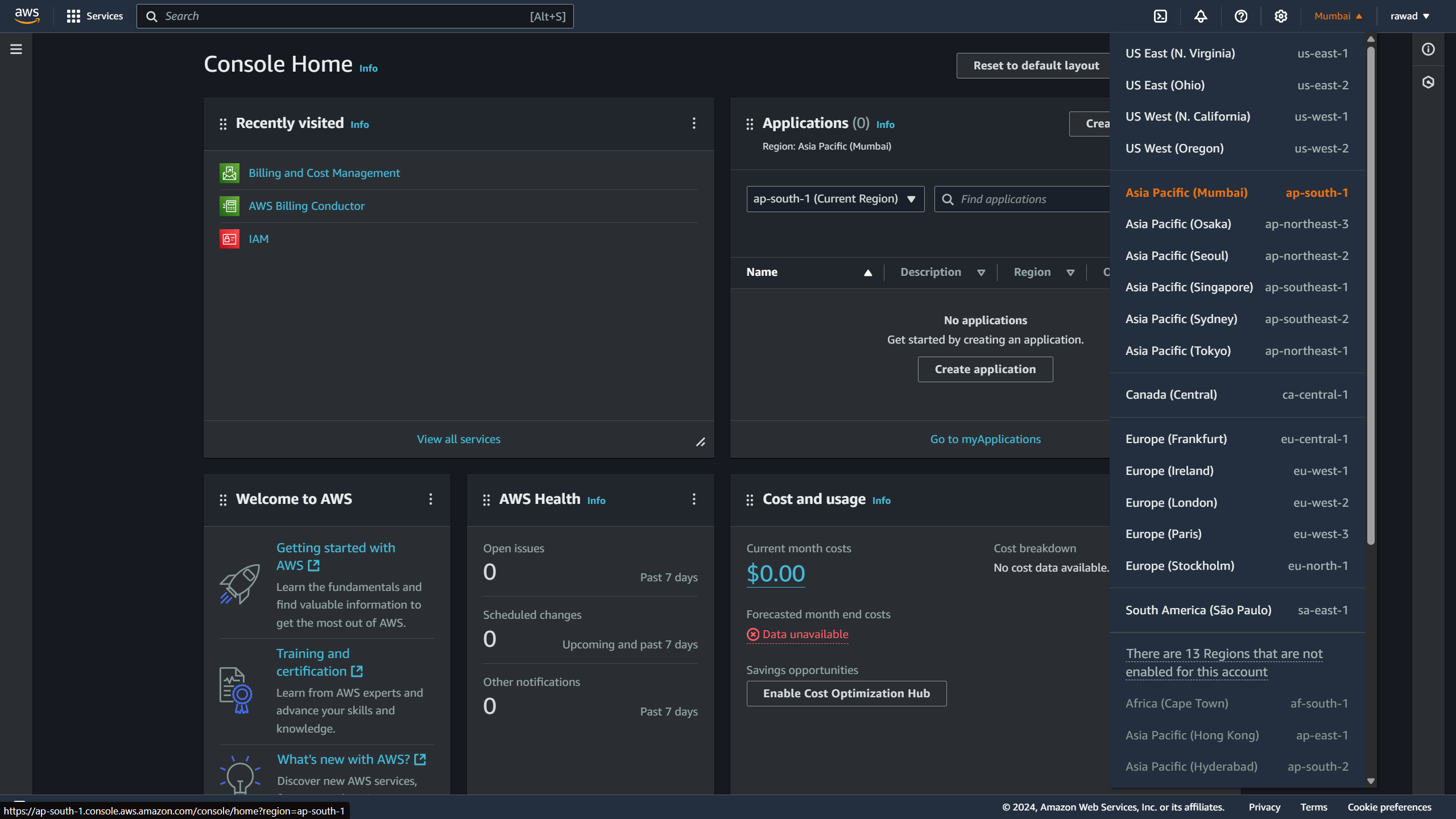
Each region is associated with a unique identifier name. As for Mumbai, it is “ap-south-1". “us-east-1“ is an AWS region, which is the US East (North Virginia).
Availability Zones
Availability Zones are isolated areas within a region. Each AWS Region contains multiple Availability Zones, usually three or more.
For example, in the Mumbai region (ap-south-1), AWS can maintain physical data centers in various locations within a 100-kilometer radius of Mumbai. These locations within Mumbai are known as Availability Zones.
Availability Zones provide redundancy while ensuring high availability. By spreading your resources across multiple AZs, you can protect your applications from failure in a single data center.
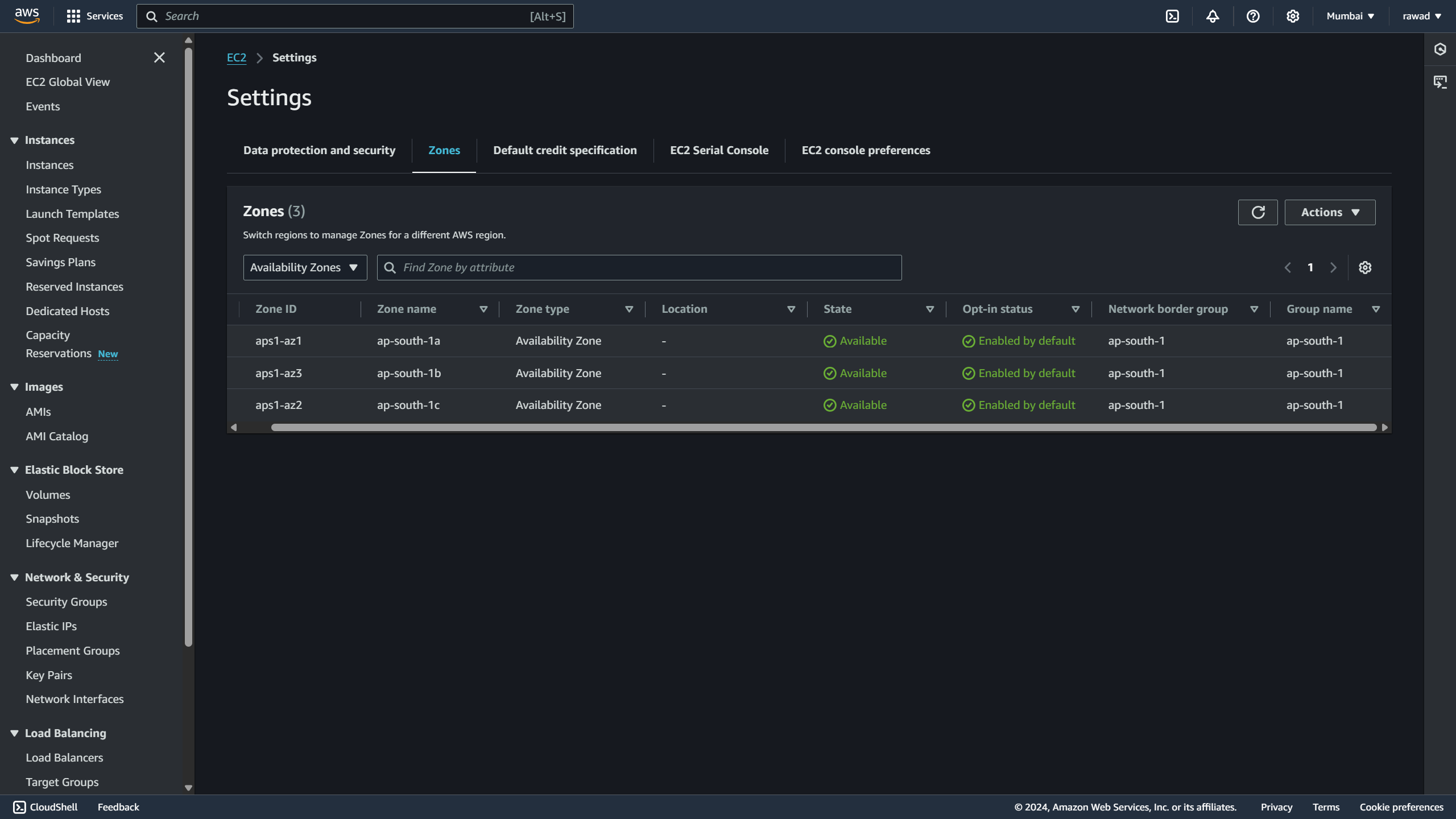
AWS Mumbai region currently has three data centers, each represented as separate Availability Zones:
ap-south-1a
ap-south-1b
ap-south-1c
"a," "b," and "c" indicate different Availability Zones within the ap-south-1 region (Mumbai). These designations help distinguish the physical locations of each Availability Zone.
Identity and Access Management
AWS Identity and Access Management (IAM) is a global service in Amazon Web Services designed to help you securely control access to your AWS resources. With IAM, you can create users, groups, and roles, then define specific permissions to manage who can access and interact with resources within your AWS account.
Here are some of the key IAM components:
Users are individual identities within an AWS account, who can be grouped and granted access to AWS resources.
Groups help to organize users based on similar access needs. When users are added to a group, they take on all of permissions assigned to the group.
Permissions are JSON documents called policies that are assigned to users or groups to specify what actions are allowed on which AWS resources.
In AWS, you cannot let everyone do anything as it may lead to unfavorable situations. So, AWS applies the least privilege principle. This implies that you grant users only the necessary permissions.
IAM Security is about managing access to protect your AWS resources. IAM provides Multi-Factor Authentication (MFA), which adds an extra layer of security when users log in.
Multi Factor Authentication (MFA)
The users have access to your account and perhaps alter settings or remove resources from your AWS account. To protect our Root Accounts and IAM users we can use MFA to add an additional layer for authentication.
MFA = password you know + security device you own
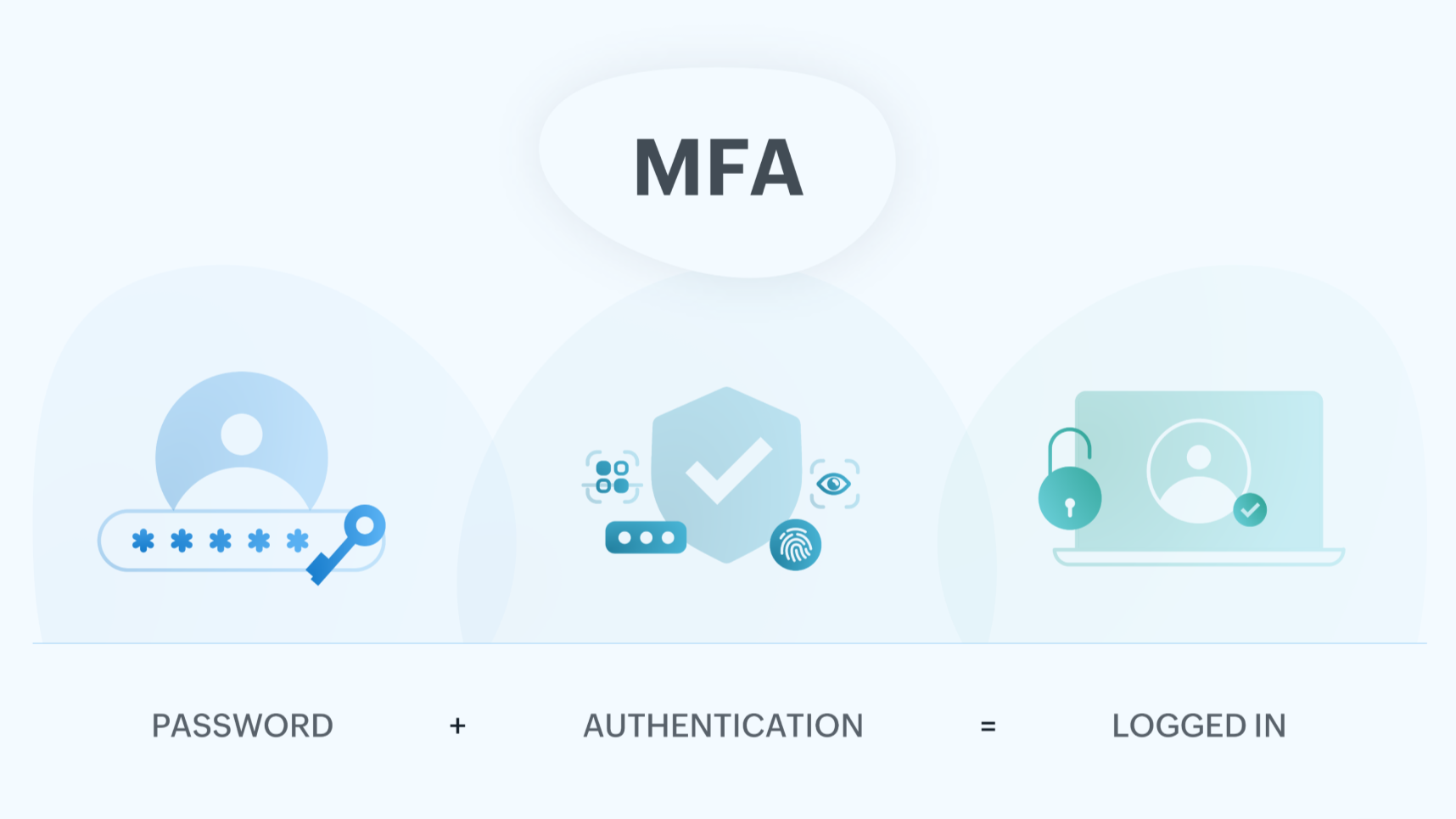
One of the key benefits of MFA is that the account is not compromised even if a password is stolen or hacked.
To generate unique codes to verify user’s identity in addition to their password, some MFA devices can be used. Some of those options are:
Virtual MFA Device (supports multiple tokens on a single device)
Examples include Google Authenticator and Authy.
Universal 2nd Factor (U2F) security key (support for multiple root account and IAM users using a security key)
Example, YubiKey
Modes to Access AWS
Users can access AWS in three ways:
AWS Management Console (protected by password + MFA)
AWS Command Line Interface (CLI): protected by access keys
AWS Software Developer Kit (SDK): protected by access keys
AWS Management Console
It is a web-based interface that allows users to manage and monitor AWS services. A graphical interface for the users to set, configure and manage resources according to need.
AWS CLI
AWS CLI is a tool that lets you use commands on your command-line shell to communicate with AWS services. It provides direct access to public APIs of AWS services through a terminal, allowing users to automate, create, and manage resources more efficiently.
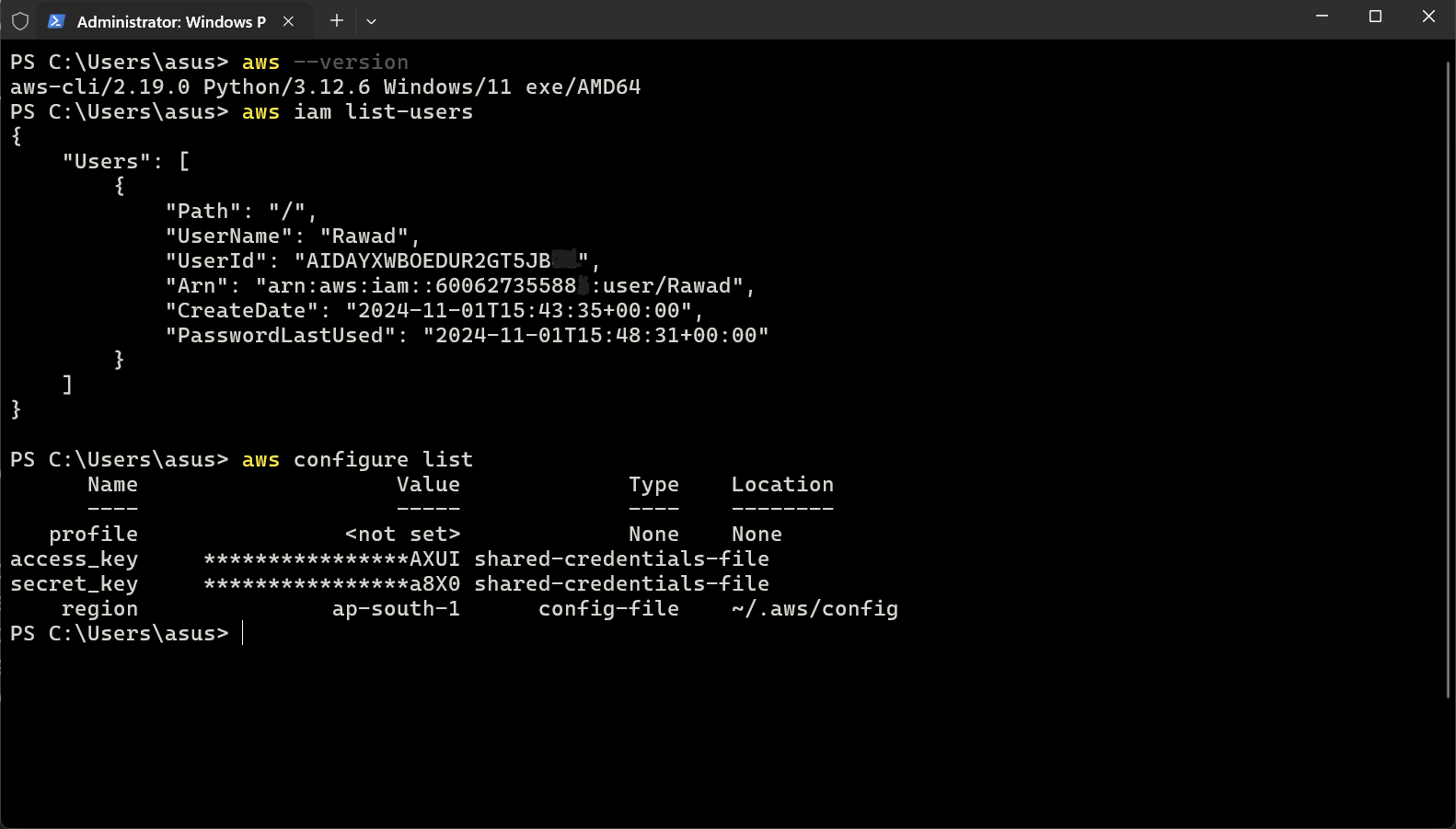
AWS SDK
Libraries for various programming languages that allow developers to interact with AWS services directly from their applications. It supports SDKs (JavaScript, Python, PHP, .NET, Ruby, Java, Go, Node.js, C++), Mobile SDKs (Android, iOS), IoT SDKs (Embedded C, Arduino). Example: AWS CLI is built on AWS SDK for Python.
This is the End of this Blog.
In the next Blog, we will learn about EC2, SSH, Security Group and more. Hope to continue this blog series.


